Day One Diary: Daily Journal
- 4.6
- Rating
- 1.00M
- Installs
- Free
- Price

 Analysis by App-foxy
I found Day One Diary: Daily Journal most useful when I stopped treating it as a place to write long, polished diary entries and started using it as a private record of ordinary life. A few lines after a walk, a photo from a family day, or a quick note about an idea can become meaningful later. That flexibility is the main reason I would recommend it to someone who wants a journal that can follow real routines instead of demanding a formal writing habit.
This is a free lifestyle app from Automattic, Inc., available for everyone and supported on operating systems from version 9 onward. It has grown into a well-known choice, with an average rating of 4.6 from around 28 thousand ratings and more than a million installs. Those figures do not replace personal testing, but they do suggest that the basic idea works for a broad audience. My own experience is that the app feels most convincing when used as a low-pressure daily archive rather than as a productivity tool.
How Day One fits into a real daily routine
The first thing I noticed is how quickly an entry can begin. I do not need to prepare a page, choose a writing style, or decide whether a thought is important enough to keep. I can open the journal, write a sentence, add an image, and leave. That small amount of friction matters because journaling usually fails at the moment when the user feels tired or distracted.
You May Also Like

 Blood Strike: 2.5 Anniversary
Blood Strike’s Loadouts Turn Every Drop Into a Tactical Gamble
A close look at Blood Strike’s custom loadouts: how fast access to signature weapons reshapes its battle royale rhythm, rewards preparation, and narrows the gap between fights.

 Pandora - Music & Podcasts
Pandora’s Music Is Easy to Start, but Harder to Recover
Pandora’s strength is its low-effort path from a seed to a station. Its weak spot is how much confidence it asks you to place in connection, setup, and quiet recovery.

 8 Ball Pool
 Is Built on Rivalries, Rematches, and Routine
A close look at the rivalries, rematches, shared routines, and unanswered safety questions that turn a quick pool match into a persistent mobile community.

 Samsung Music
’s Quiet Strength Is Playing What You Already Own
Its reach comes less from spectacle than from dependable access to a personal library. That simplicity is both the app’s strongest retention engine and its ceiling.

 AccuWeather: Weather Radar
AccuWeather Review: A Quick, Clear Forecast for Everyday Decisions
For everyday plans, the best forecast is the one you can understand quickly. AccuWeather makes rain timing, radar, and local conditions easy to act on, with a few trade-offs.

 Hill Climb Racing
Why Hill Climb Racing Still Turns Crashes Into One More Run
A tiny car, a bumpy hill and one more upgrade: Hill Climb Racing keeps resurfacing because its simple chaos makes every near-miss feel personal.
More From Our News Desk



A realistic example is a weekday commute. I might capture a photo of an interesting building, add two sentences about a conversation, and return to the entry later when I have more time. On another day, I could record a travel note while moving between places, then use the same entry as a fuller memory once the trip is over. This mixed approach feels more natural than forcing every day into the same template.
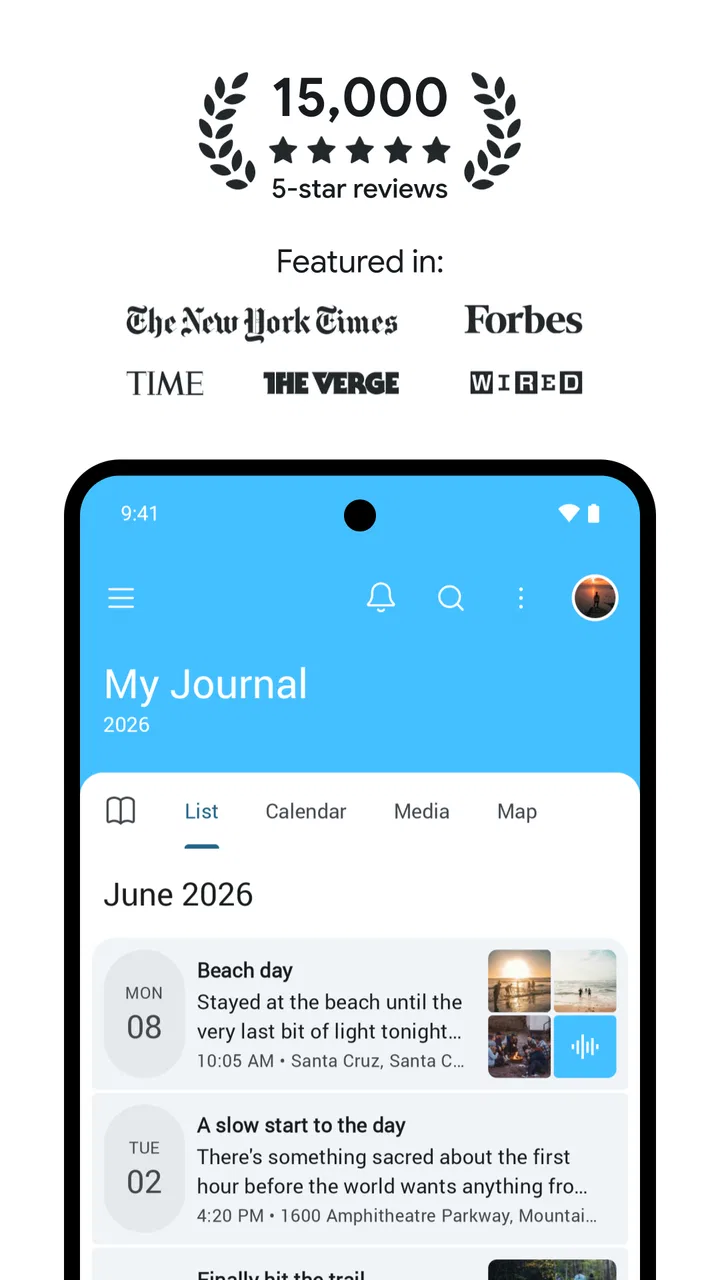
The app is also suitable for people who think visually. A photo can carry the emotional weight of an entry when I do not feel like explaining everything. That does not make the written part irrelevant; instead, it gives me a starting point. I often find that adding a picture makes it easier to write a little more, especially when the day itself seemed too ordinary to deserve a full page.
At the same time, I would not describe it as a replacement for a dedicated task manager, notes app, or document editor. Its strength is personal reflection and memory. If I need complex outlines, collaborative editing, extensive formatting, or a database-like system, I would choose a different tool. Day One works best when the goal is to preserve experiences, not manage a project.
Writing without turning the habit into homework
My most useful workflow is to keep entries deliberately uneven. Some are only a few words, while others become longer reflections. This prevents the common mistake of believing that a journal is valuable only when every entry is detailed. The app accommodates that kind of irregularity well because a short note still has a place beside a longer story or a photo-led memory.
I also found it helpful to separate immediate capture from later editing. During a busy day, I write the rough version while the moment is fresh. Later, I can add context if it still feels worthwhile. This two-stage habit is more sustainable than waiting for a quiet evening and hoping I will remember everything accurately.
One less obvious benefit is the way a journal can reveal patterns without requiring me to plan a formal self-improvement project. After several weeks, repeated concerns, places, people, and activities become easier to notice when I look back. I would not use that observation as a medical or psychological conclusion, but it can be a practical prompt for reflection. For example, I may realize that I feel better after outdoor activities or that certain commitments repeatedly leave me drained.
That retrospective value depends on consistent use, though. The app cannot create a habit for me. Notifications, reminders, or other conveniences may help some people, but I still need a personal trigger. Linking an entry to an existing routine, such as morning coffee or the end of a trip, worked better for me than waiting for inspiration.
Photos, travel notes, and the value of context
Day One becomes more interesting when I use it to preserve context around photos instead of merely storing images. A picture of a meal says little by itself months later. A short note about who was there, why the place mattered, or what happened afterward makes the memory much more useful. I recommend adding that context at the time of capture, because small details disappear quickly.
For travel, I would use separate entries for distinct moments rather than one enormous account. A departure, an unexpected delay, a favorite street, and the final evening each deserve their own small record. This makes the journal easier to revisit and reduces the pressure to write a complete travel essay while still traveling.
There is a trade-off here: collecting many images can make a journal feel rich, but it can also turn review into a long scroll through similar material. I get better results when I choose one or two representative photos and explain why they matter. The app gives me room to record more, but good judgment is still needed to keep the archive personal rather than cluttered.
Trust, controls, and moments that deserve care
Because a journal can contain intimate thoughts, private photographs, travel details, and information about other people, I judge this kind of app differently from a casual game. I pay attention not only to how pleasant it is to use, but also to the choices presented around accounts, data, and access. In my view, trust should come from visible controls and understandable choices, not from assuming that every journal app handles sensitive material in the same way.
The developer is Automattic, Inc., and the app is free to download. Optional in-app purchases range from $2.99 to $99.99 per item, so I would review the purchase screen carefully before committing to anything beyond the free experience. That is especially important for someone who wants a simple diary and does not need additional paid capabilities. A free starting point is convenient, but it should not encourage users to overlook the longer-term cost of features they may later want.
I also recommend checking account and privacy choices during setup rather than tapping through them automatically. A journal is different from a public social feed: even a harmless-looking entry may reveal a location, a routine, a relationship, or a personal concern. Before adding that kind of material, I want to understand which account is active, what sharing options are visible, and how I can control access from the app.
That caution is not a criticism unique to Day One. It is a sensible habit for any digital diary. Still, the consequences of a careless choice are more personal here than they would be in an ordinary note-taking app. I would begin with low-sensitivity entries, learn the available controls, and only then decide whether the app suits more private writing.
What I would check before recording sensitive material
My first check would be whether I am signed into the account I actually intend to use. This sounds basic, but it matters when a device is shared or when several accounts are available. I would then look through the visible settings for account management, access, and data-related choices, taking screenshots or notes if I wanted a record of what I selected.
My second check would concern photos. A travel image may include a home address, a child, a license plate, or another person who did not expect to appear in a journal. I would crop or omit anything unnecessarily identifying. The convenience of attaching a photo should not replace ordinary care about what the image reveals.
My third check would be the purchase flow. Since the app is free but includes optional purchases, I would make sure I understand what I am selecting before confirming payment. This is particularly relevant for families, where a device may be used by more than one person. I prefer to decide in advance whether I want to stay with the free experience or pay for a specific need, rather than making that decision during a moment of enthusiasm.
These steps are not glamorous, but they improve the experience. They let me concentrate on writing because I have already made deliberate choices about the surrounding account and content. A trustworthy routine is partly a product of the app and partly a product of how carefully I use it.
Where user agency matters most
The best part of the app, from my perspective, is that it does not require one correct style of journaling. I can write privately for myself, preserve a visual memory, or keep a brief record of a trip. That freedom makes it easier to adapt the tool to different stages of life. Someone recovering from a stressful period may prefer short check-ins, while a traveler may want richer entries with photos and details.
However, flexibility can also create indecision. Without a clear personal method, I may collect disconnected fragments and later struggle to understand why they mattered. I solved this by giving each entry a simple purpose: capture a memory, process an event, record gratitude, or save an idea. The category does not need to be formal; it simply helps me avoid opening the app without knowing what I want from it.
I would also avoid using the journal as a place to store every piece of information I might need later. Mixing passwords, work instructions, financial records, and emotional writing in one space can make the archive harder to manage and may increase the consequences of an access mistake. A dedicated secure tool is more appropriate for credentials, while a standard notes or document app may be better for material that needs frequent editing or sharing.
For families, the Everyone content rating makes the app broadly approachable, but that does not mean every journal topic is suitable for every user. Adults should still think about device access, account boundaries, and the sensitivity of images or writing. The age label describes the app’s general content classification; it does not remove the need for personal privacy decisions.
How it compares with simpler alternatives
A paper notebook remains better for someone who wants complete physical separation from accounts, screens, and digital storage. Writing by hand can also feel more reflective, and there is no battery or interface to interrupt the moment. I would choose paper for a highly private offline journal or for a ritual where the physical act of writing is part of the experience.
A basic notes app is usually faster for temporary thoughts and lists. It may be the better choice when I need to search, copy text into another document, or share a draft. Day One earns its place when the material is meant to become a personal timeline rather than disappear among shopping lists and work reminders.
Photo galleries are convenient for images, but they rarely preserve the surrounding story as intentionally as a journal. A gallery may show where I was, while a written entry can explain what I noticed or how the day felt. On the other hand, someone who only wants automatic photo organization may find a diary workflow unnecessarily deliberate.
Cloud documents are stronger for long-form writing and collaboration. I would use one for a memoir project, shared travel planning, or anything that needs extensive formatting. Day One feels more personal and immediate, but that focus means it is not the most efficient choice for group work or formal documents.
Who should use it, and who should skip it
I think the app is a strong fit for people who want to remember everyday experiences without committing to a rigid writing schedule. It is especially appealing if photos, travel moments, and short reflections matter as much as traditional diary pages. It can also help people who have tried journaling before but abandoned it because each entry felt like an assignment.
I would recommend it cautiously to anyone recording highly sensitive information. The right decision depends on the account and privacy controls the user can see and understand, as well as their comfort with digital storage. If the possibility of using a digital service causes constant worry, a paper notebook may provide more peace of mind.
I would skip it if my main goal were task management, collaborative notes, advanced document formatting, or a completely offline workflow. I would also skip it if I know I will only use it as an unstructured dumping ground for temporary notes. In that situation, a simpler tool would probably be faster and less demanding.
The current version is 2026.17, and the app has been available since November 17, 2017. I mention that because the product is not a brand-new experiment; it has had time to develop a recognizable identity around journaling. Still, version numbers and longevity do not guarantee that every workflow will suit every user. I would judge it by the controls and writing experience I can actually use on my device.
After testing it as a place for short notes, photographs, travel memories, and more reflective entries, I came away positive but deliberate. Day One is at its best when it makes remembering easier without making privacy decisions invisible. I like its low-pressure approach, and I appreciate being able to let a journal entry be brief, visual, or substantial depending on the day.
My recommendation is strongest for people who want a digital memory space and are willing to establish their own careful routine around accounts, purchases, photographs, and sensitive writing. I would start with the free experience, create a few entries from ordinary days, inspect the visible controls, and decide whether the workflow feels natural before investing more time or money.
For me, the app succeeds because it turns small moments into something I can revisit without demanding that every day be profound. It is not a universal replacement for paper, notes, or documents, and it should not be treated as one. But for a thoughtful, photo-friendly daily journal, it offers a comfortable balance between quick capture and meaningful reflection.
FAQs for Day One Diary: Daily Journal
01What is Day One Diary: Daily Journal used for?
Day One Diary: Daily Journal is a digital journaling app designed for recording personal thoughts, memories, daily events, photos, and important moments. After exploring its main features, I found it suitable for private reflections, gratitude journaling, travel notes, mood tracking, and organizing life experiences in one searchable place. Its clean layout makes regular writing approachable, even for users who do not journal consistently.
02Is Day One Diary: Daily Journal free to download and use?
The app can generally be downloaded at no initial cost, but some features may depend on the subscription plan available for your device and region. Basic diary writing may be accessible without paying, while advanced tools, additional customization, synchronization options, or premium journaling features can require a subscription. Before downloading, check the current App Store or Google Play listing for pricing, trial conditions, and renewal details.
03Can I keep my diary entries private and secure?
Privacy is one of the most important considerations when choosing a journaling app. Day One Diary: Daily Journal may provide security features such as app protection, account controls, or device-based authentication, depending on the version and platform. However, users should review the app’s privacy policy and permissions before entering highly sensitive information. A strong device passcode and secure account password are also recommended.
04Can I add photos and other details to journal entries?
Yes, the app is intended for more than plain text writing. Depending on the version and plan, entries can include photos, dates, locations, moods, tags, and other contextual details that make memories easier to revisit later. These options are helpful for travel diaries, family milestones, personal goals, or daily reflections. Some media-related features may be limited to premium users or supported devices.
05Does Day One Diary: Daily Journal work offline and sync across devices?
You can usually create or edit entries without a constant internet connection, which is convenient when traveling or when mobile data is unavailable. Synchronization across phones, tablets, or other supported devices may require signing in and enabling the app’s backup or sync service. Availability can vary by platform and subscription level, so confirm the current synchronization features before relying on the app as your only diary copy.
Pros
- Clean
- distraction-free interface makes daily writing feel effortless.
- Strong search tools help you quickly find older entries and memories.
- Supports photos
- videos
- audio recordings
- and text in one journal.
- Passcode and biometric lock add useful privacy protection.
- Daily prompts can help users build a consistent journaling habit.
Cons
- Many advanced features require a paid Premium subscription.
- Some users may find the free plan too limited for regular journaling.
- Cloud syncing depends on an account and a reliable internet connection.
- The wide range of settings can feel overwhelming at first.
- Export and backup options may be less flexible than some users expect.

Day One Diary: Daily Journal
Gallery